

Manage the waiting room without ending the meeting
Hosts and moderators can turn the Waiting room on or off from Settings while the meeting is running. You no longer need to end the meeting to change how people enter.
- Turning the waiting room off admits everyone currently waiting.
- Turning it on affects new arrivals. People already admitted can rejoin without waiting for admission again.
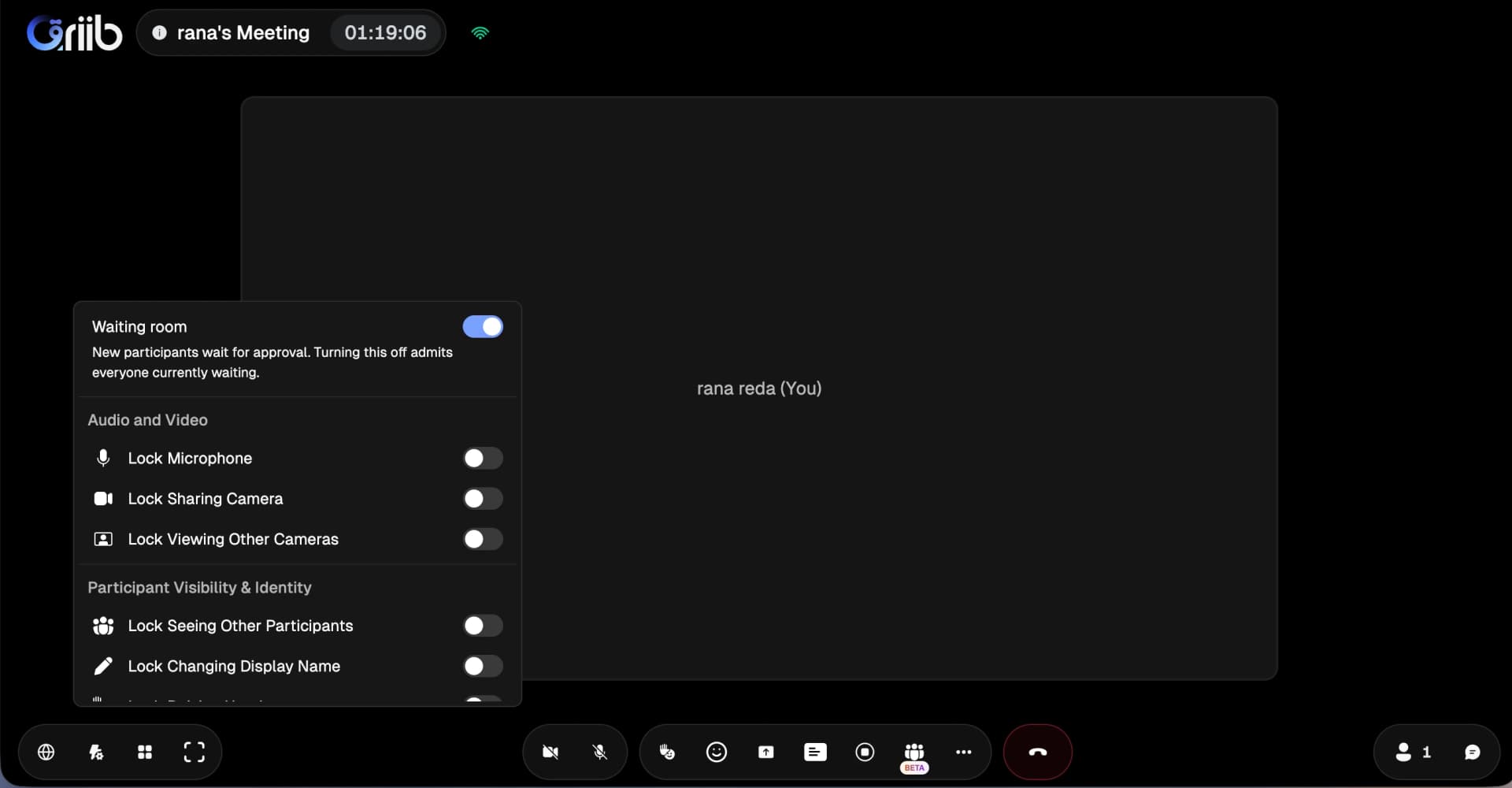
Manage admission during the meeting from Settings. Turning off the waiting room admits everyone currently waiting.
Open full-size screenshot in a new tabChoose the view that fits your meeting
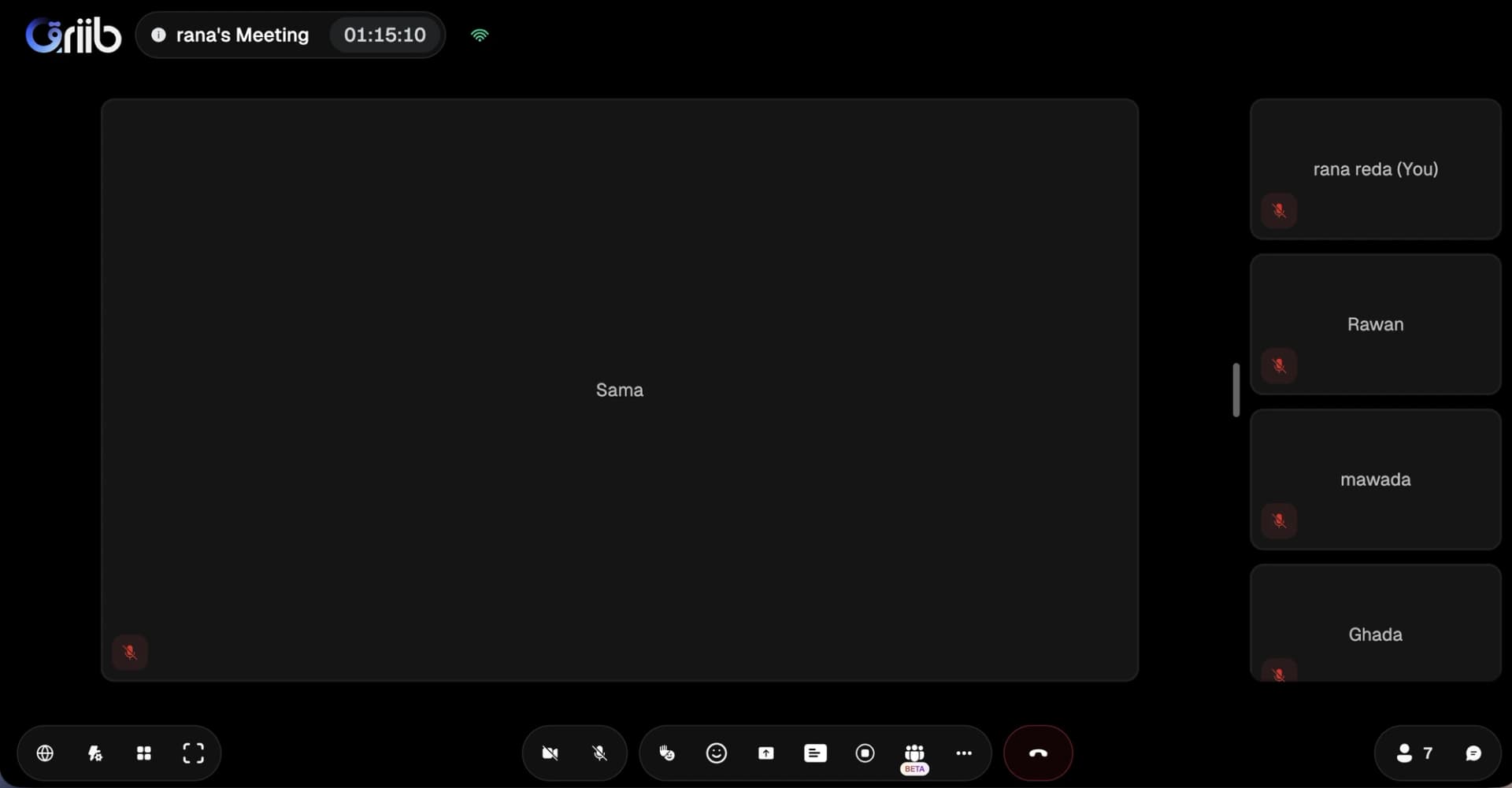
Open Adjust view from Layout or More in the meeting footer. Choose from five layouts: Auto, Tiled, Spotlight, Sidebar, and Top strip. Changes apply immediately, and your choice is saved on your device.
- In Tiled, choose the number of tiles. In every layout, you can hide tiles without video.
- Participant docks come in three sizes and can be dragged or collapsed to keep the stage clear.
- Camera tiles keep a 16:9 frame and show the full camera image when filling the tile would crop too much.
- Compact bars leave more room for the meeting on short laptop screens. In fullscreen, the footer hides automatically when not in use.
- On wide screens, opening Chat or People reduces the stage to make room for the panel.
Keep your material within reach with Presentation Manager (Beta)
Presentation Manager (Beta) keeps the current material, LIVE status, and presenter in a slim header rather than over the content. Open All materials to browse a grid of your material, with first-page previews for PDFs.
- Switch material, add more, rename, move, or remove items without closing All materials. Search appears when you have 12 or more items.
- PDF navigation, pen, and eraser controls sit together in the same bar.
- Slides fit the full page into view, while documents fit the available width for easier reading.
- Hosts can turn on Let participants browse so attendees can explore the material independently and return to the live presentation when ready.
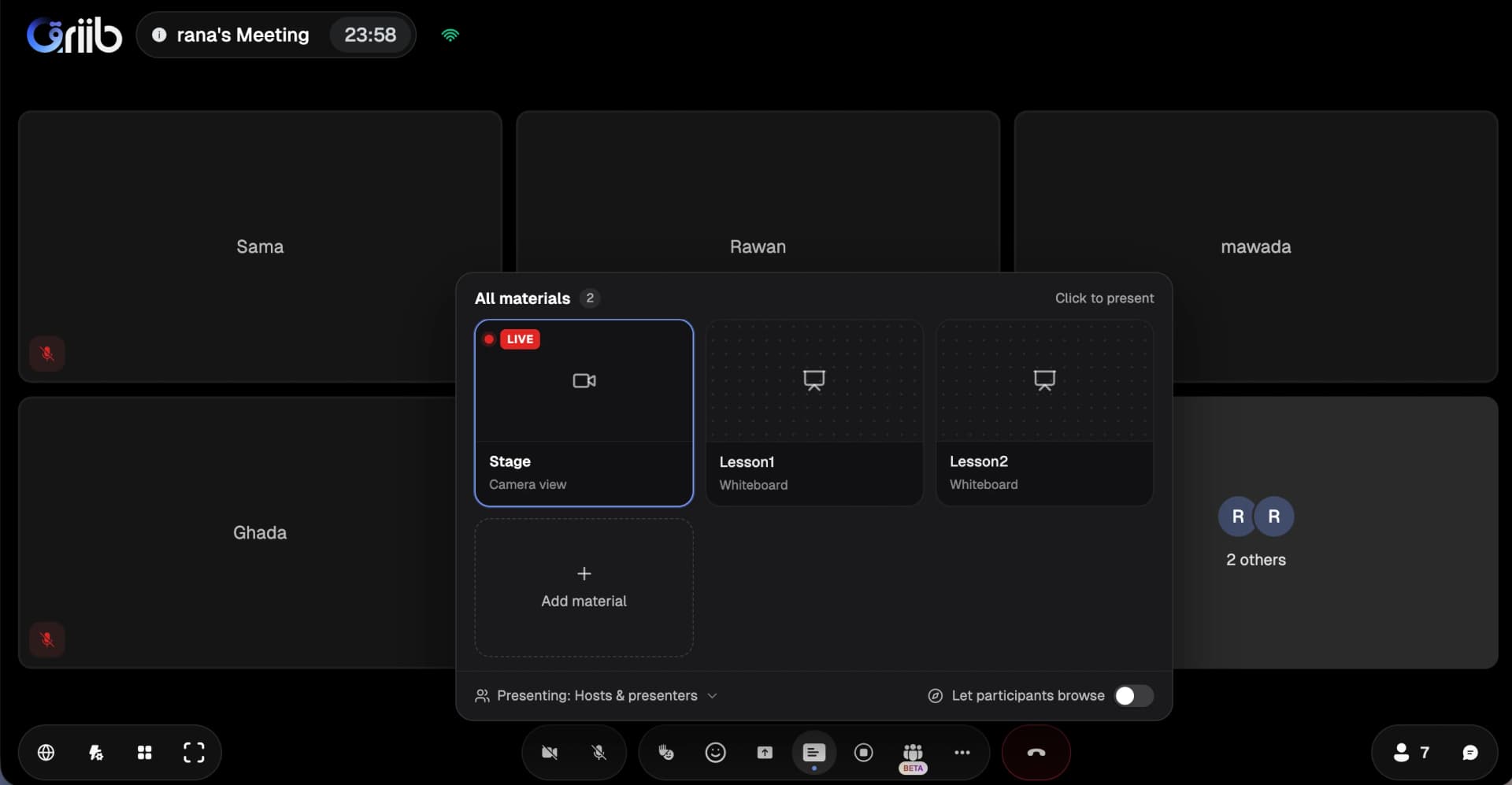
Switch between the meeting stage and lesson materials from All materials, with presentation and participant browsing controls together.
Open full-size screenshot in a new tabShare readable text, or optimize for video
Screen sharing prioritizes sharp text by default, making documents, slides, and detailed interfaces easier to read. For moving content, turn on Optimize for video from the sharing menu.
- Switch video optimization on or off without interrupting the share, reopening the screen picker, or erasing annotations.
- Change what you share or stop sharing from the same menu.
- Shared-screen tiles show the full shared screen rather than cropping its edges.
- Sharing adapts automatically to network conditions. Quality and continuity still depend on the available connection.
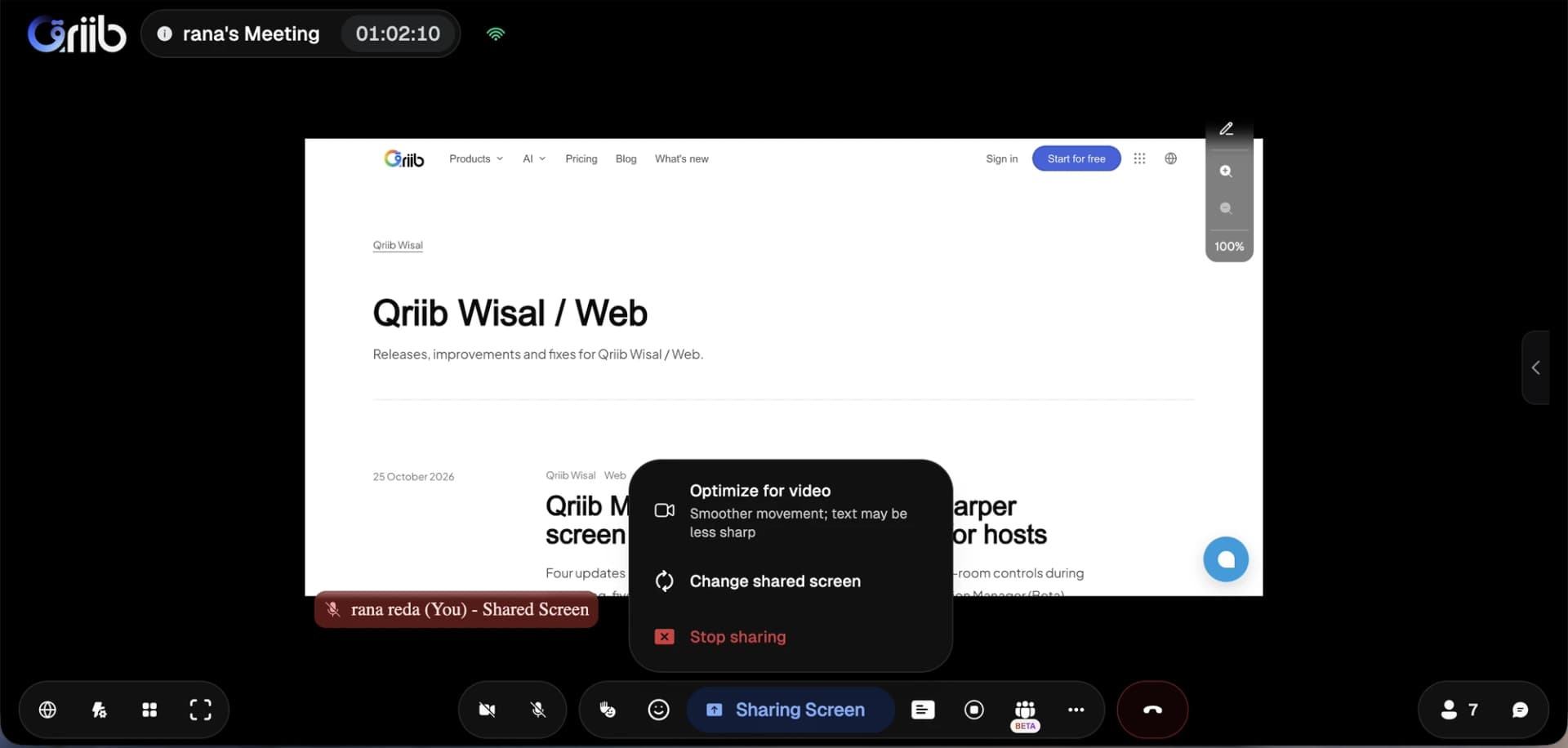
Optimize for video is available while sharing. Smoother movement may make text less sharp.
Open full-size screenshot in a new tab